Enray Platform
A unified cloud-based CMS + ERP + CRM platform designed to bridge business information, workflow, and productivity into one seamless experience.
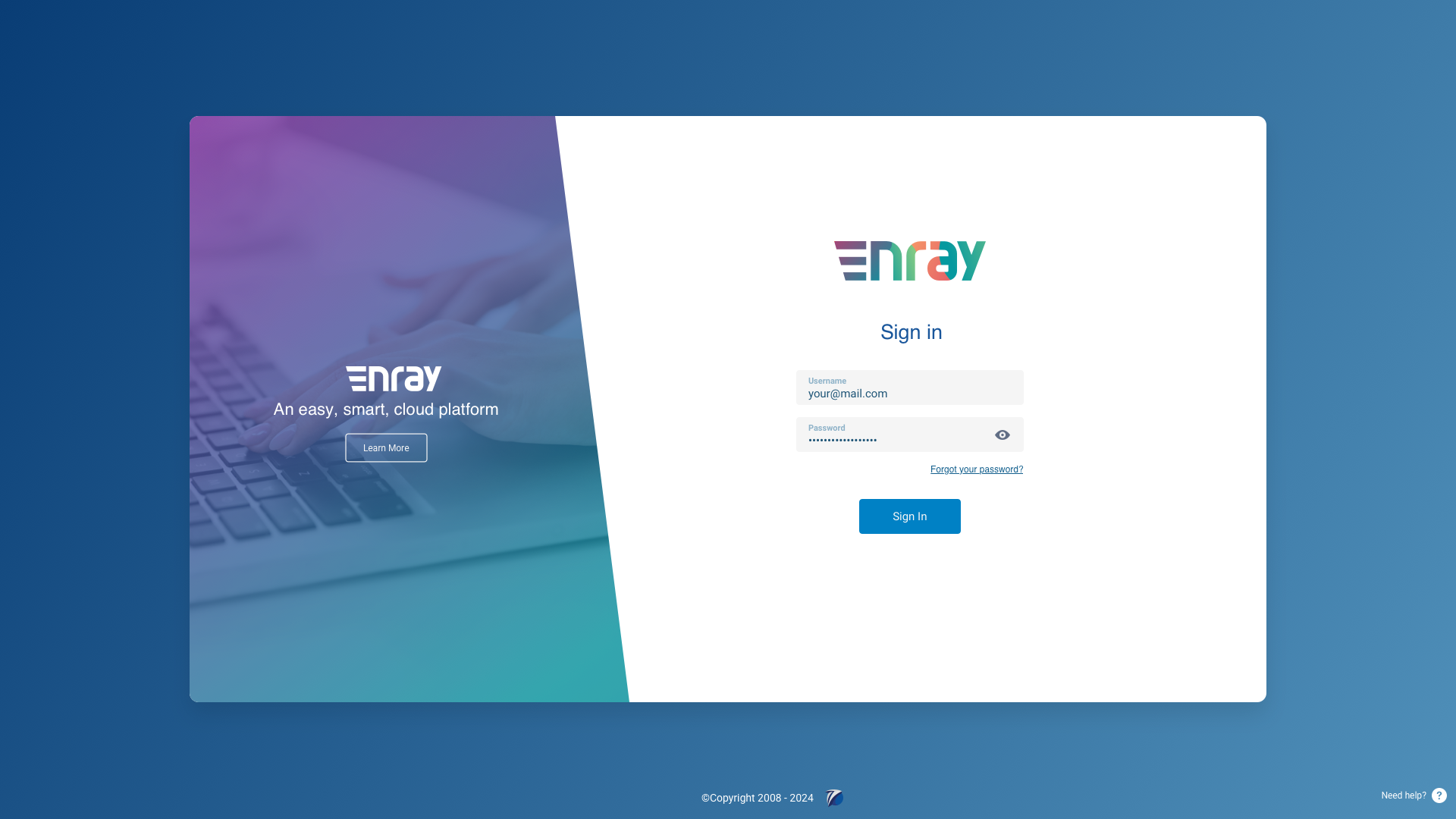
A Platform for Everything
Enray, developed by iProject, is a sophisticated cloud-based solution that combines CMS, ERP, and CRM into a unified platform. Designed to bridge the gap between business information, workflow, and productivity, it streamlines and centralizes operations.
With Enray, businesses manage content, resources, and customer interactions seamlessly from anywhere, ensuring all aspects of operations are interconnected and easily accessible.
Client
iProject
Year
2022
Platform
Web (Desktop)
Scope
CMS + ERP + CRM
The Challenge
Most businesses rely on separate tools for content management, resource planning, and customer relationships, leading to data silos, duplicated work, and fragmented workflows. Enray was conceived to unify all three into a single, cohesive platform.
The design challenge was immense: create an interface sophisticated enough to handle complex enterprise workflows, yet intuitive enough that teams could adopt it without extensive training. Every screen needed to balance information density with clarity.
Design Library
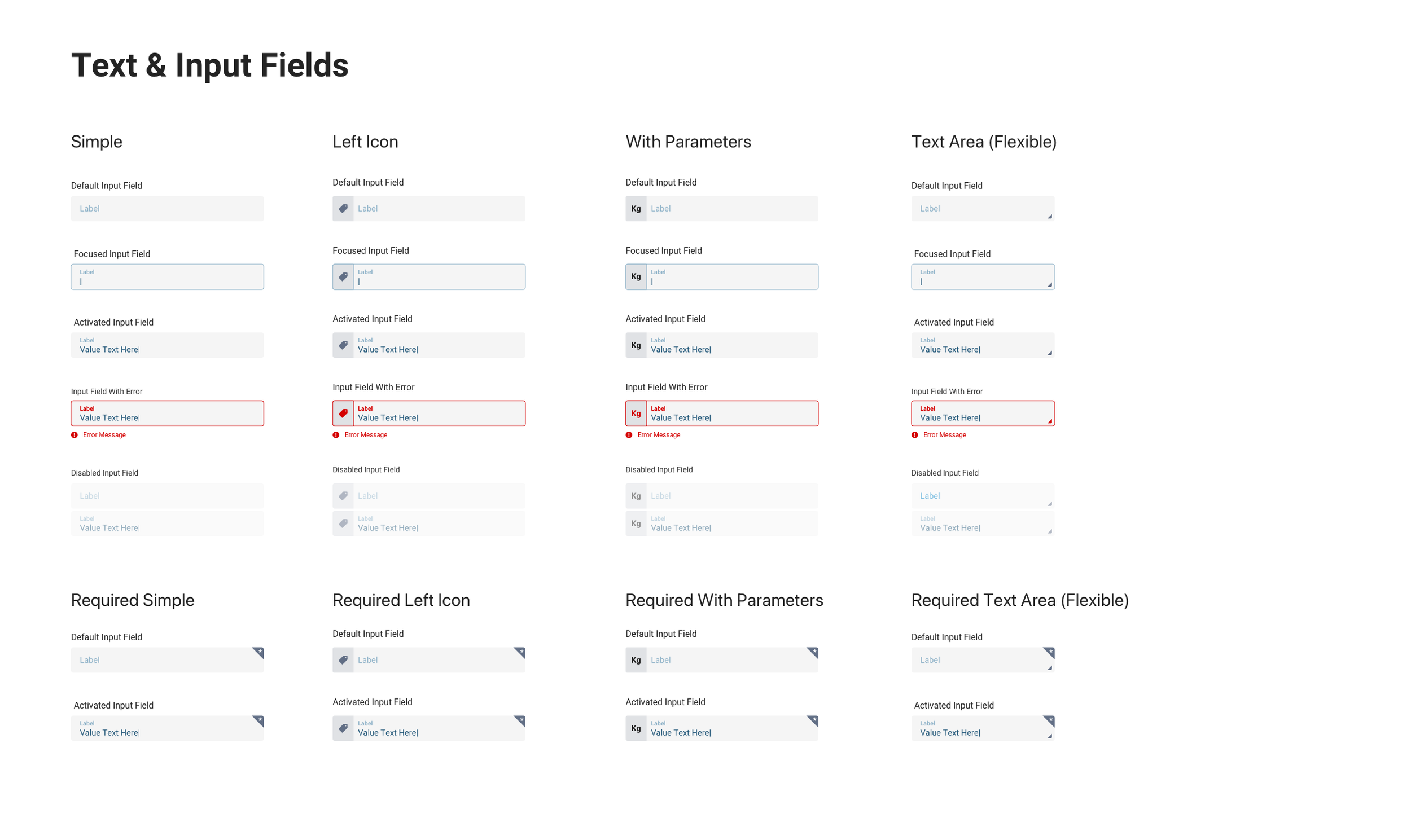
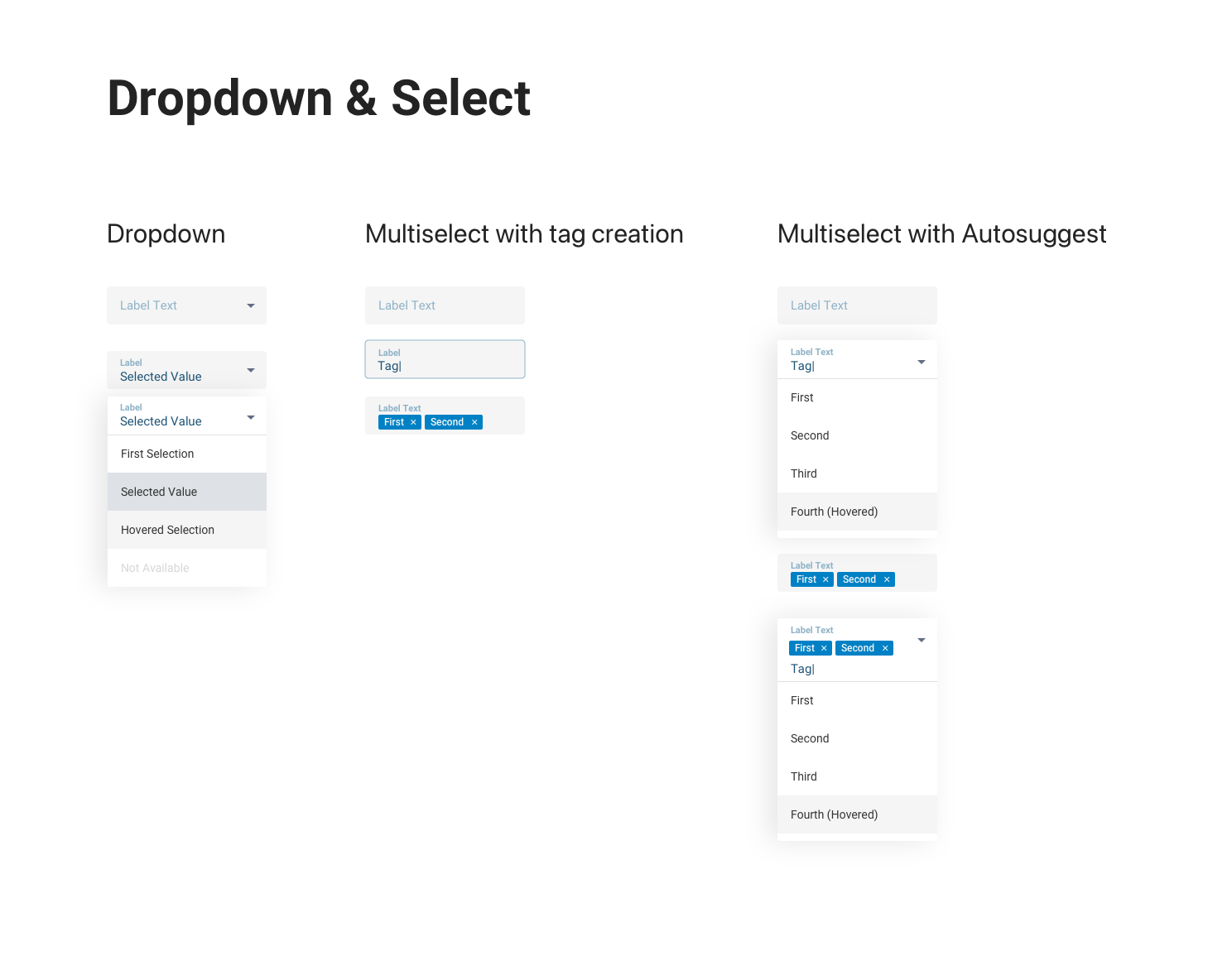
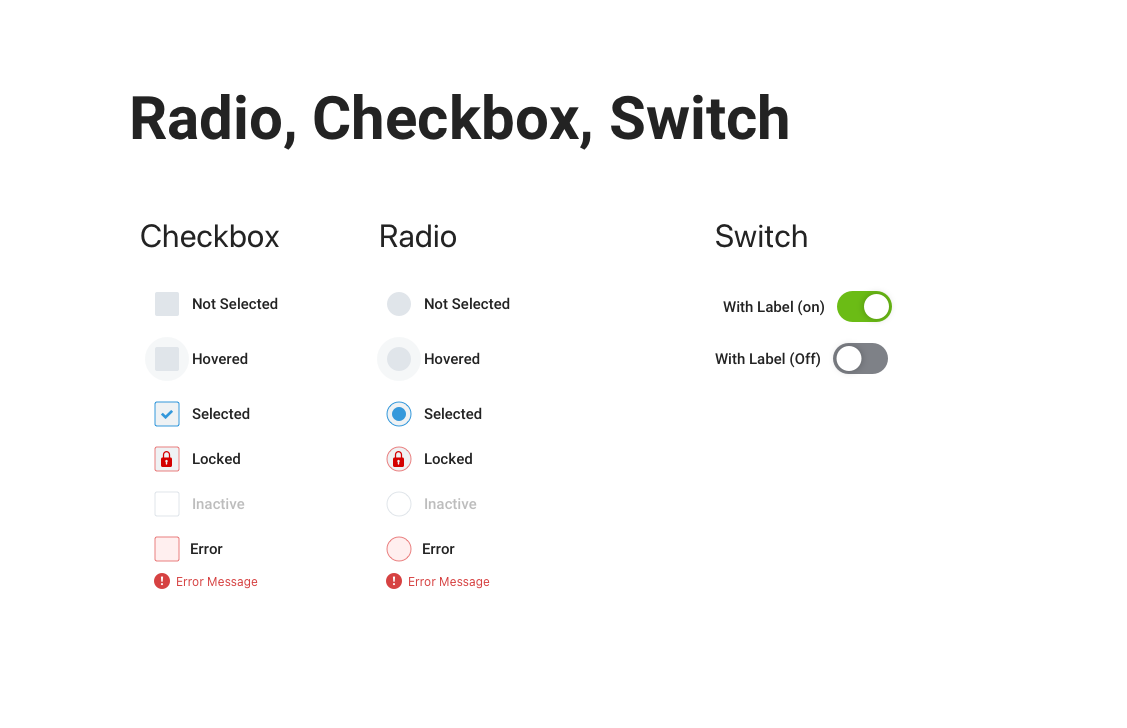
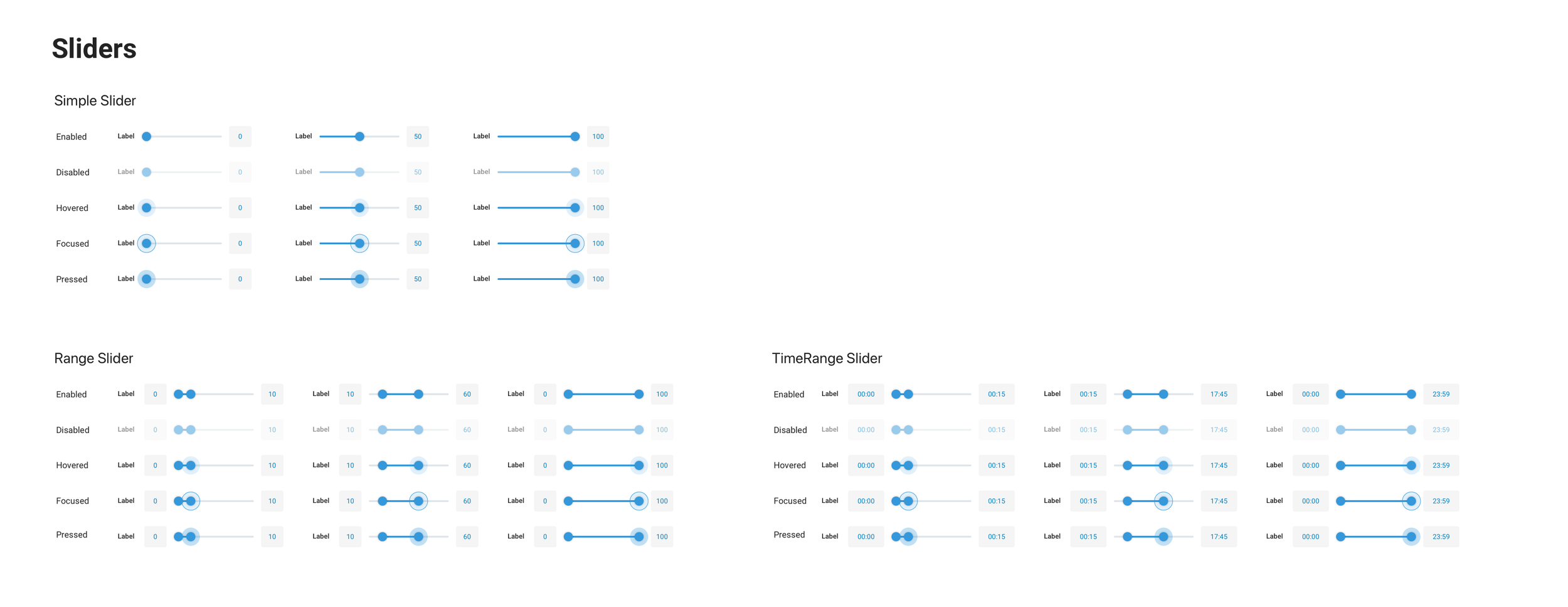
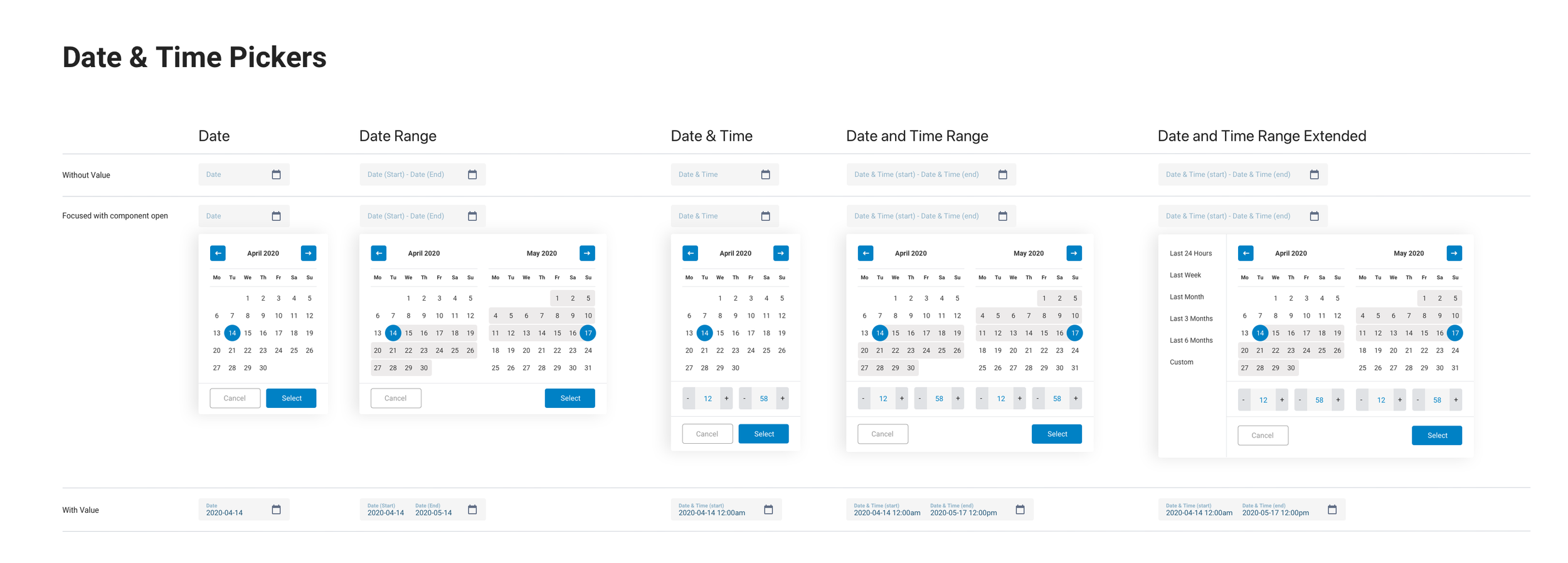
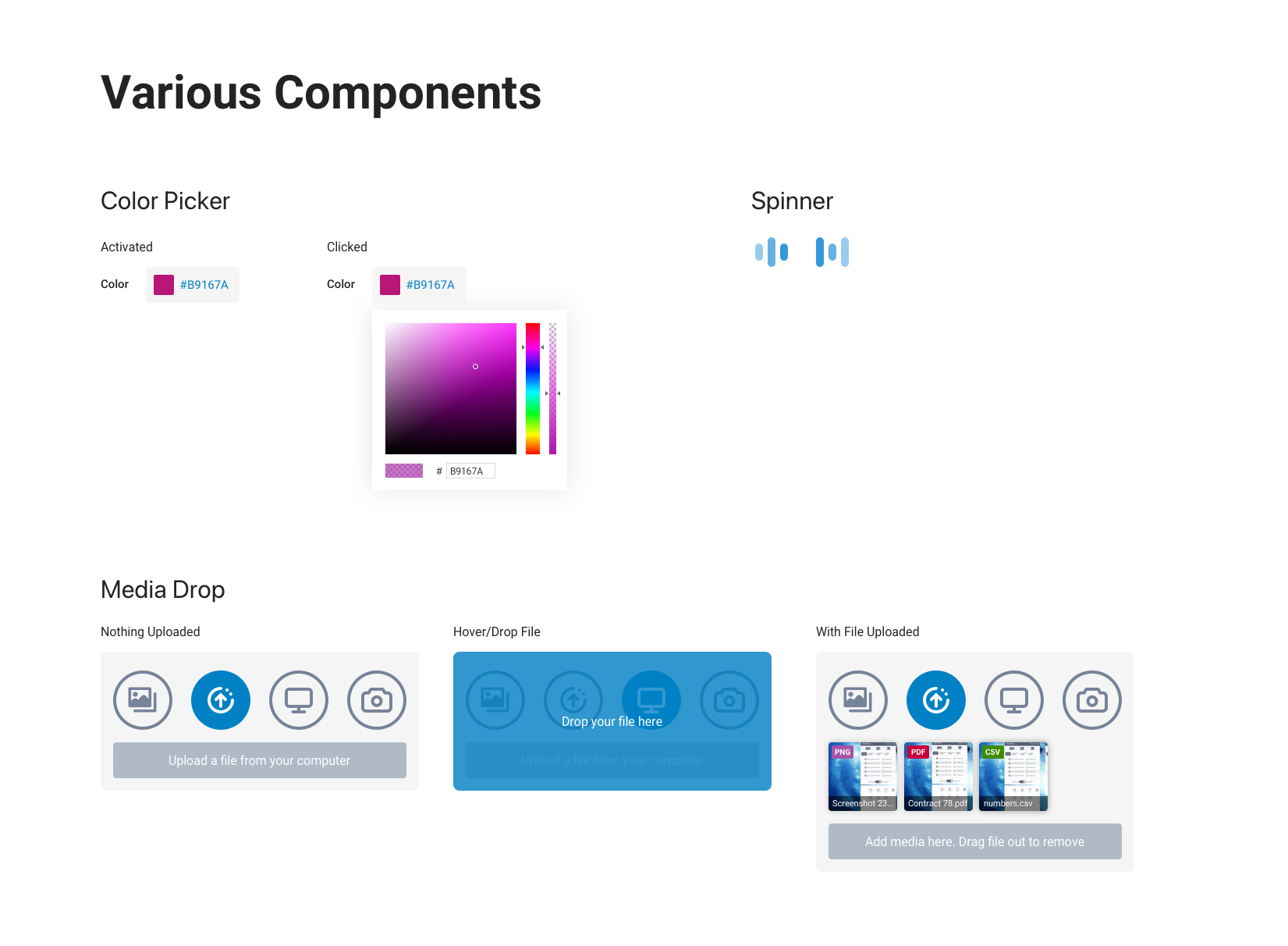
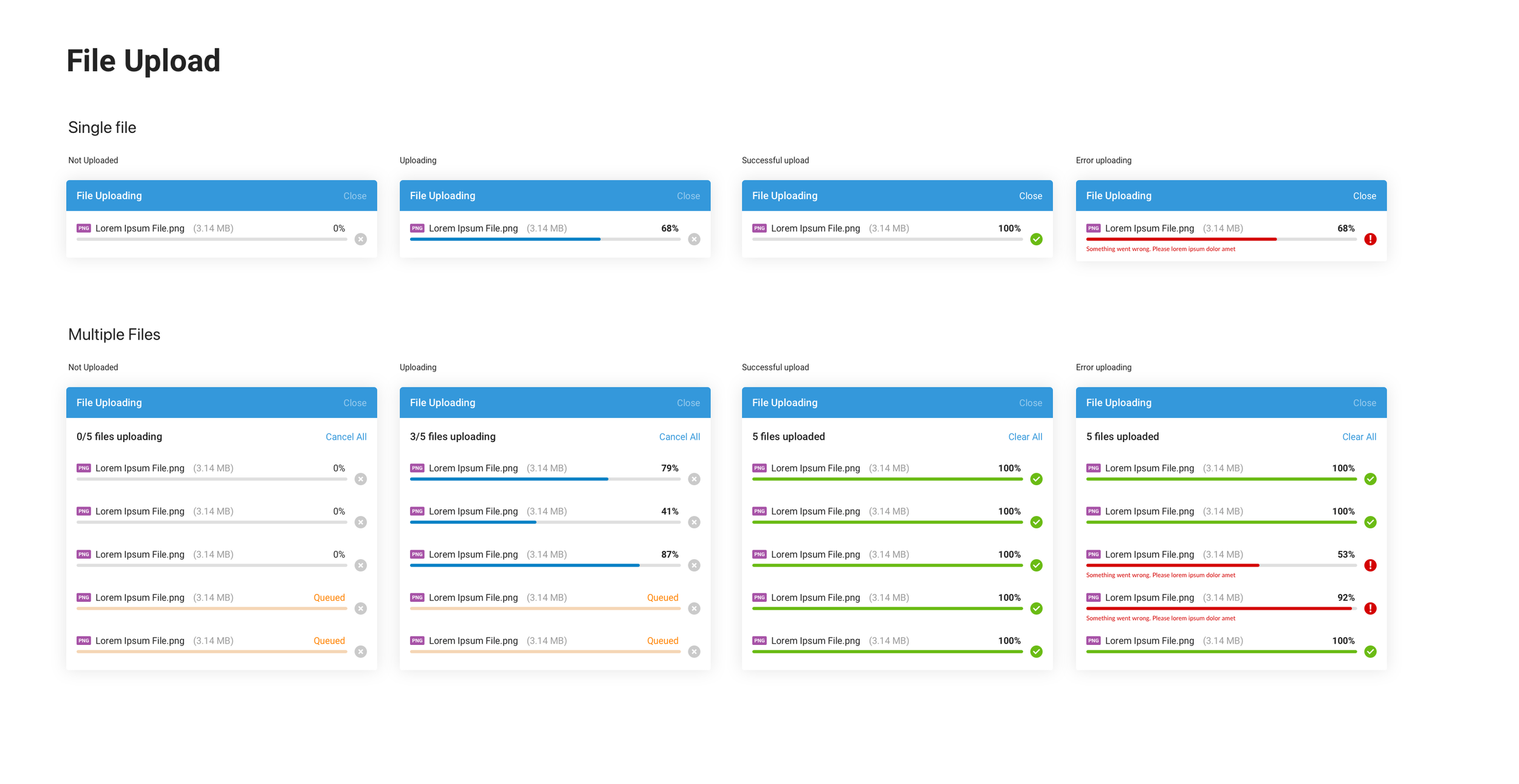
A comprehensive component library was built to ensure consistency across the entire platform. Form fields, dropdowns, switches, sliders, date pickers, and upload patterns, each component designed with multiple states and variations.
Products & Dashboard
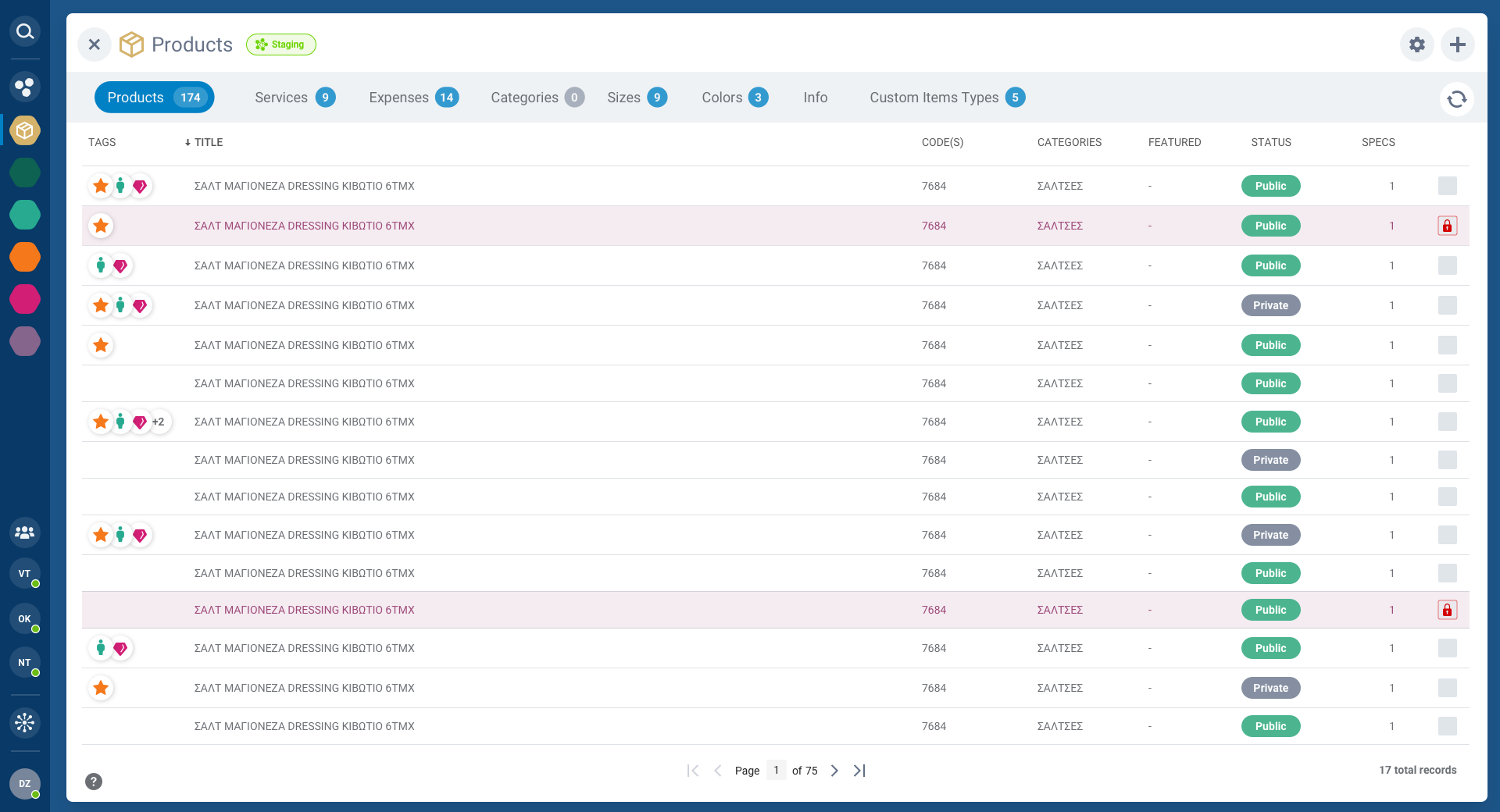
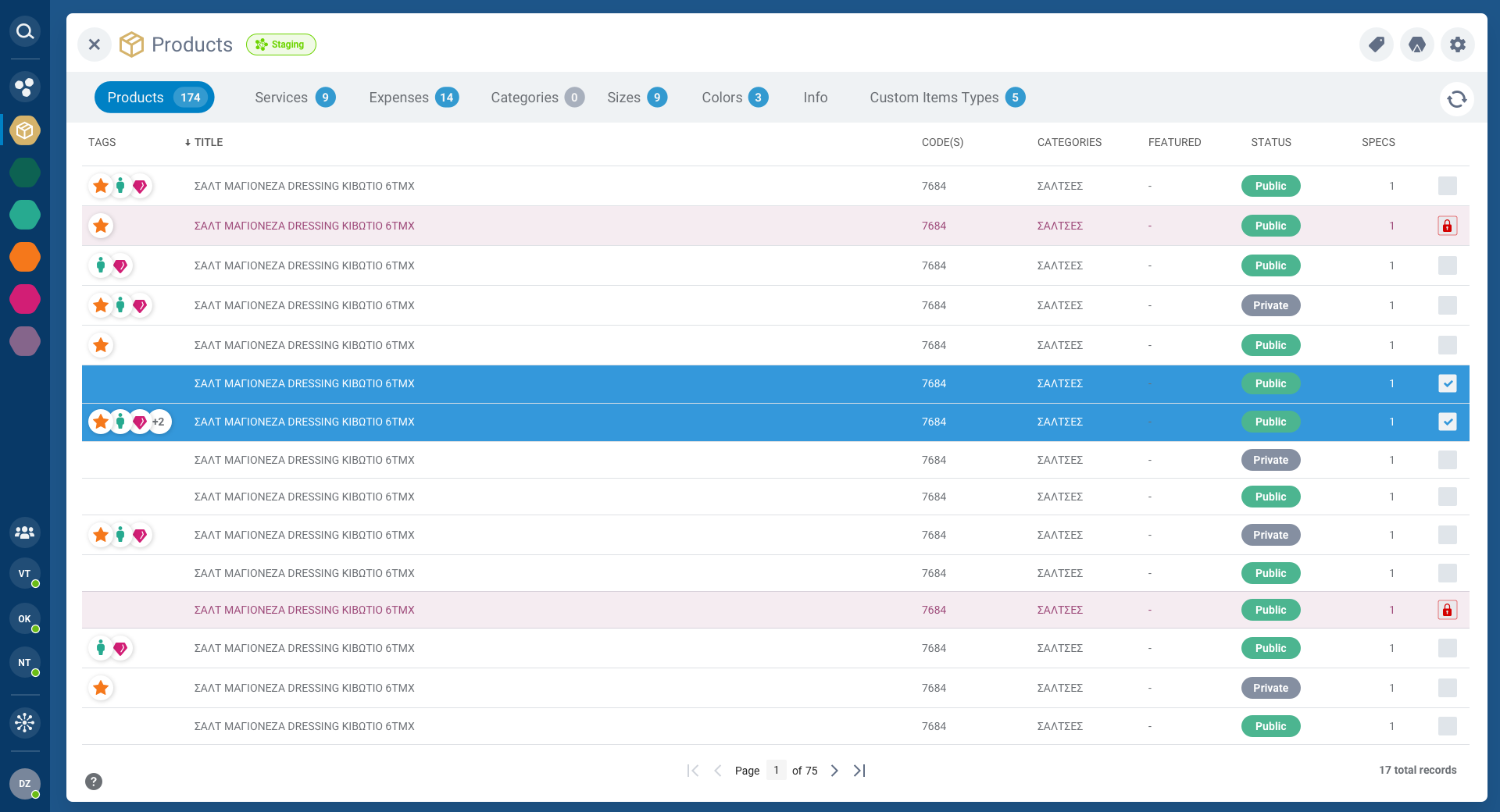
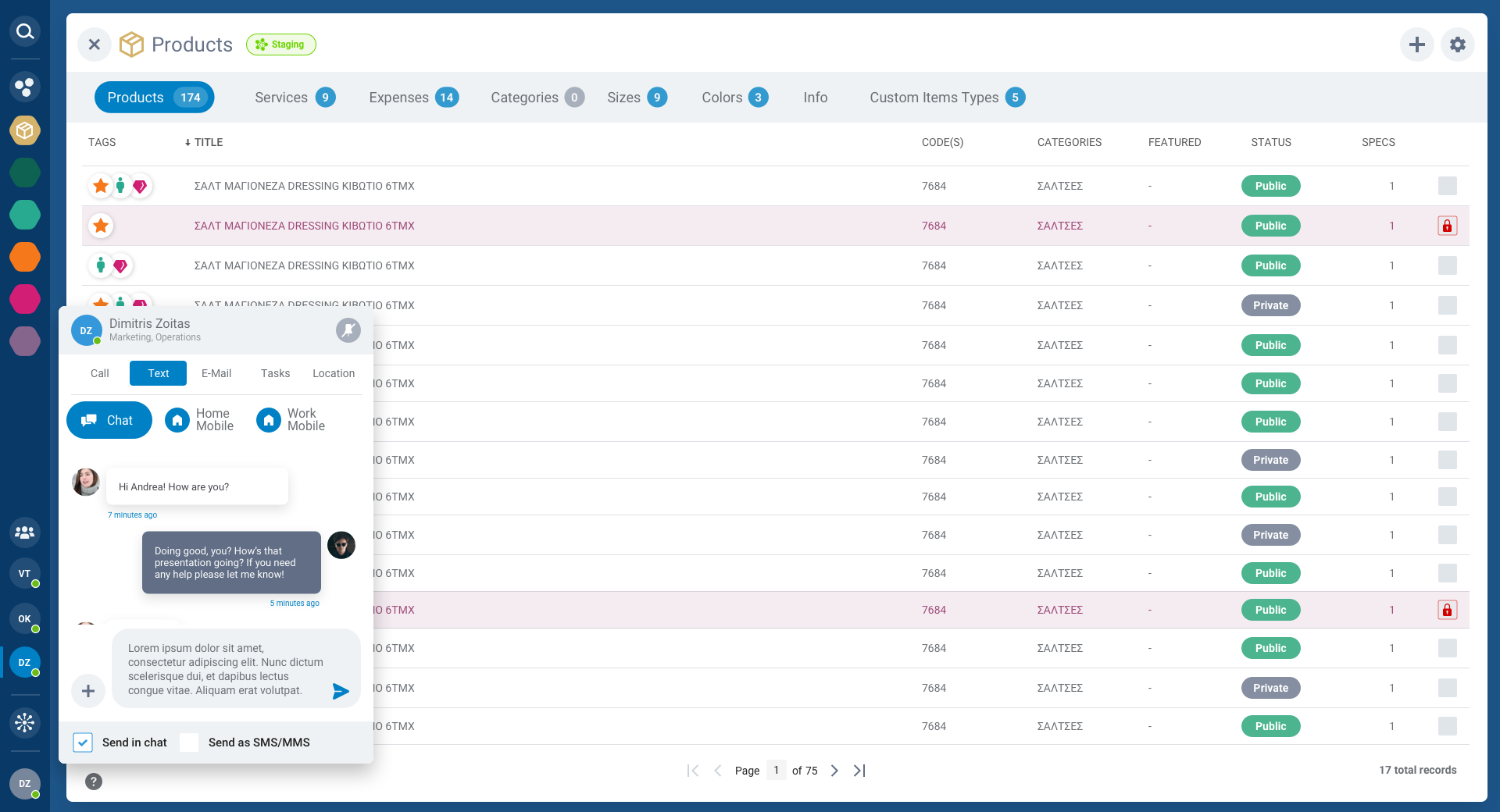
The main products view is the heart of Enray's CMS. A powerful data table with filtering, sorting, pagination, and bulk actions. The colorful sidebar provides quick access to all platform modules, while tab navigation separates products, services, expenses, categories, and more.
Each row supports inline status management, tagging, and quick actions, designed for teams managing hundreds of product entries simultaneously.
Modals & Workflows
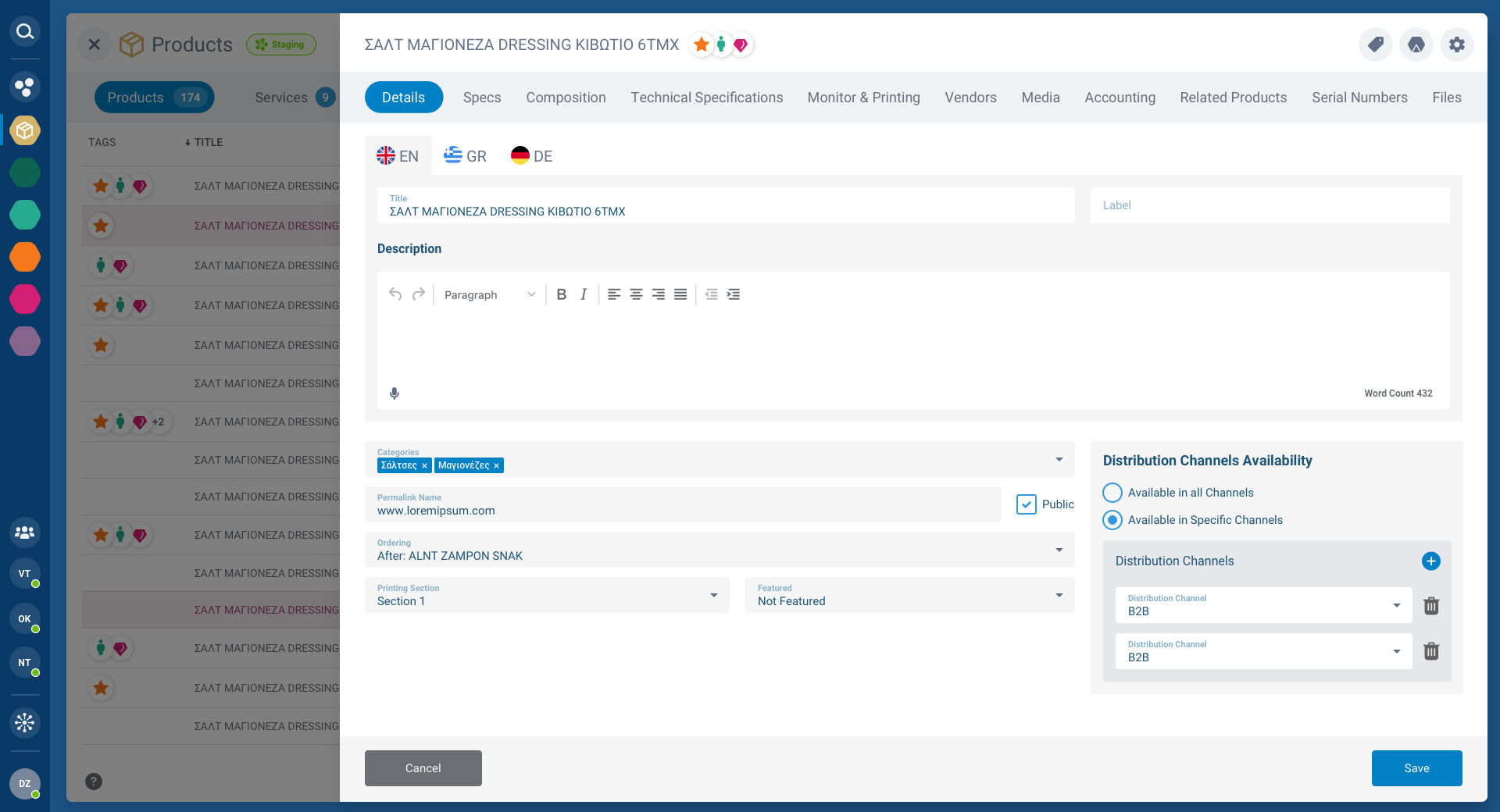
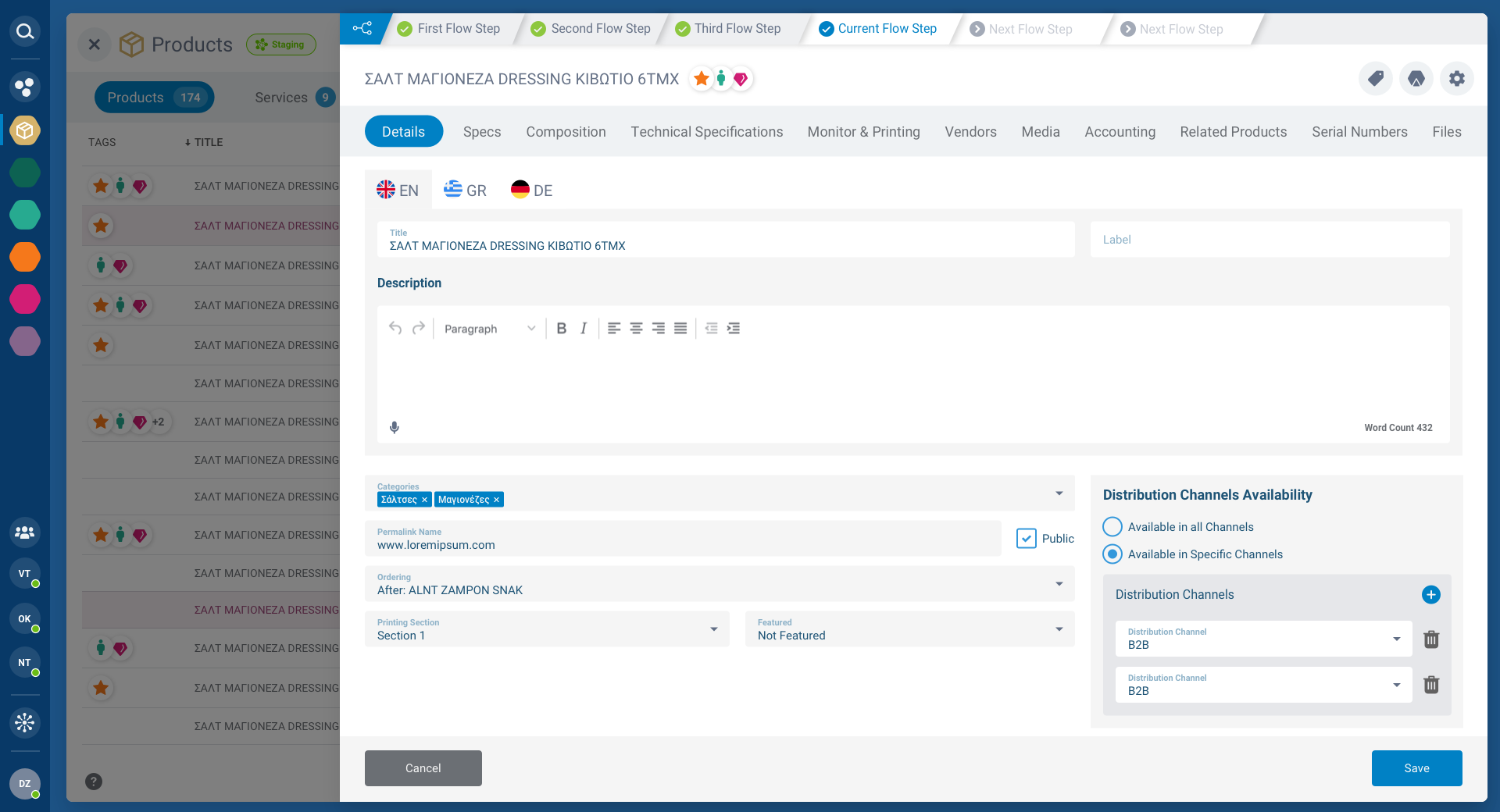
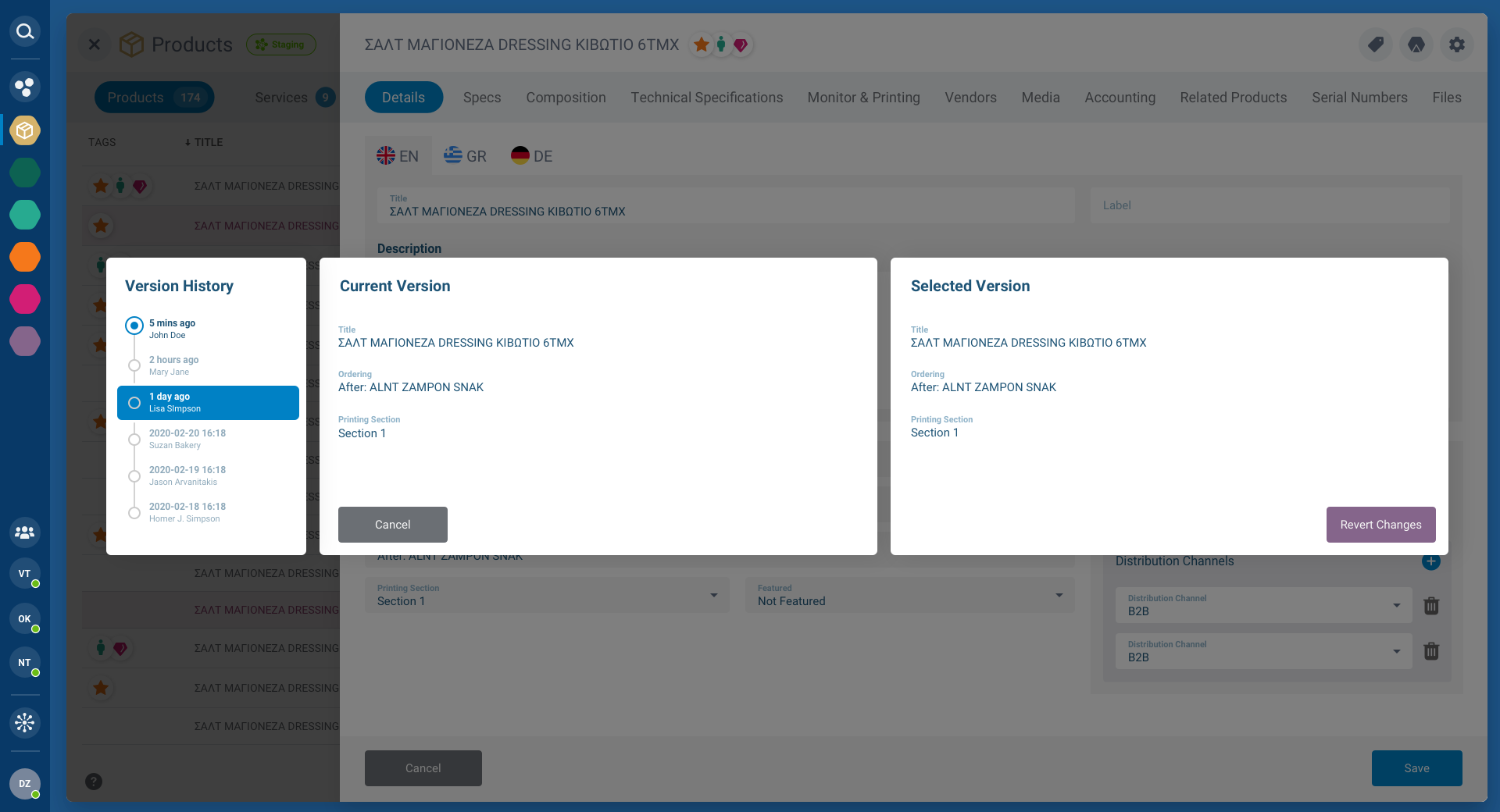
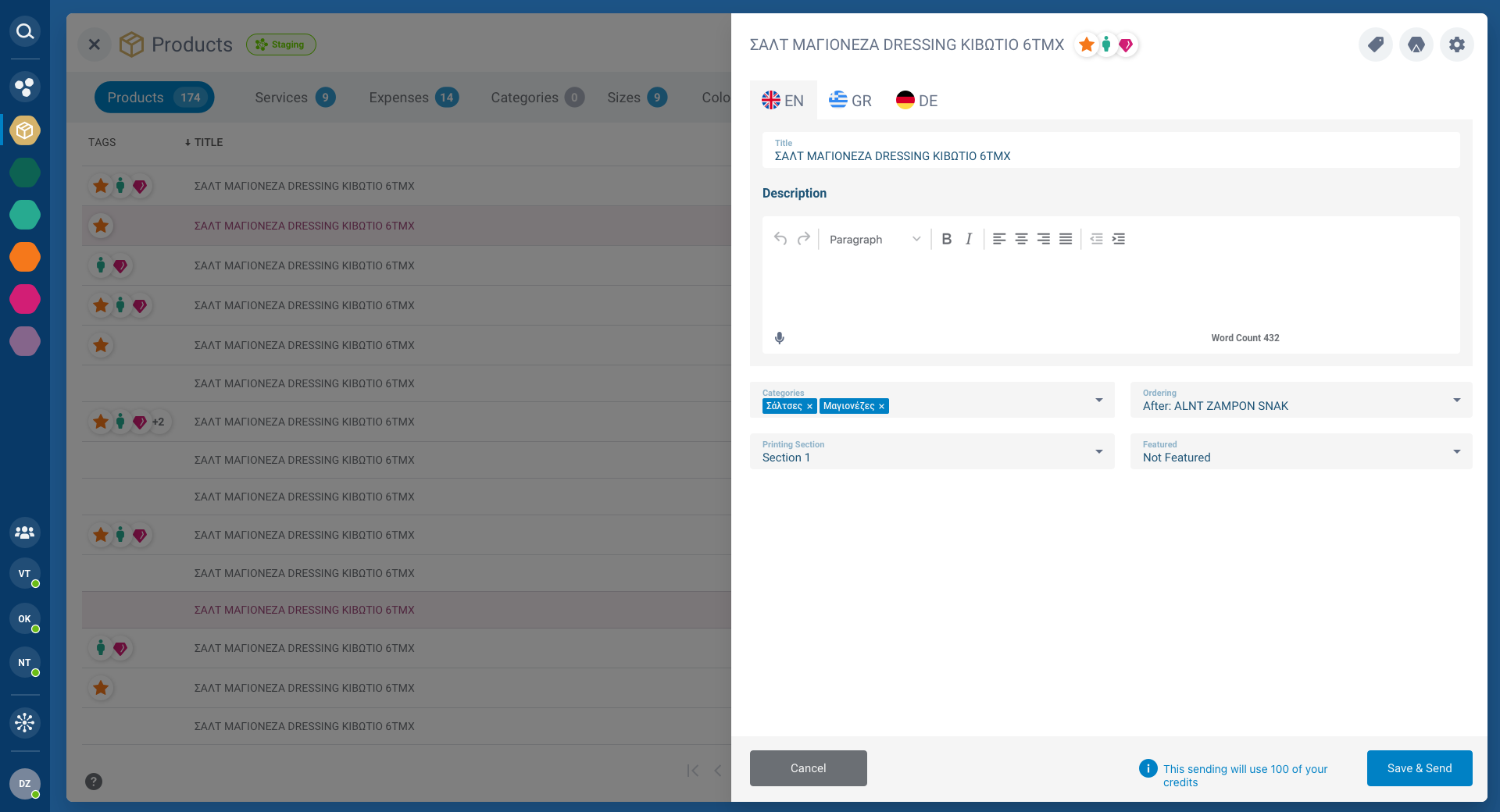
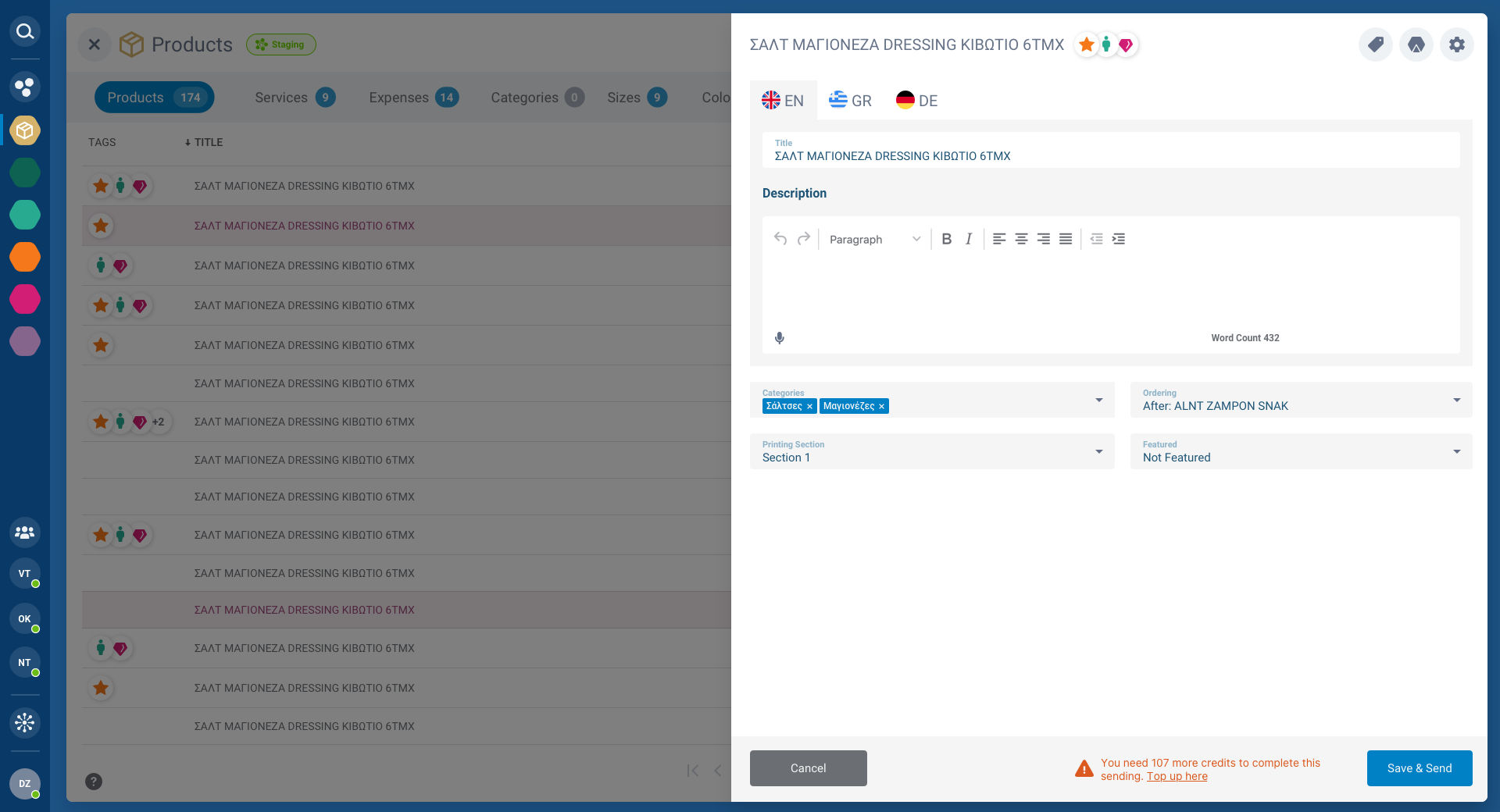
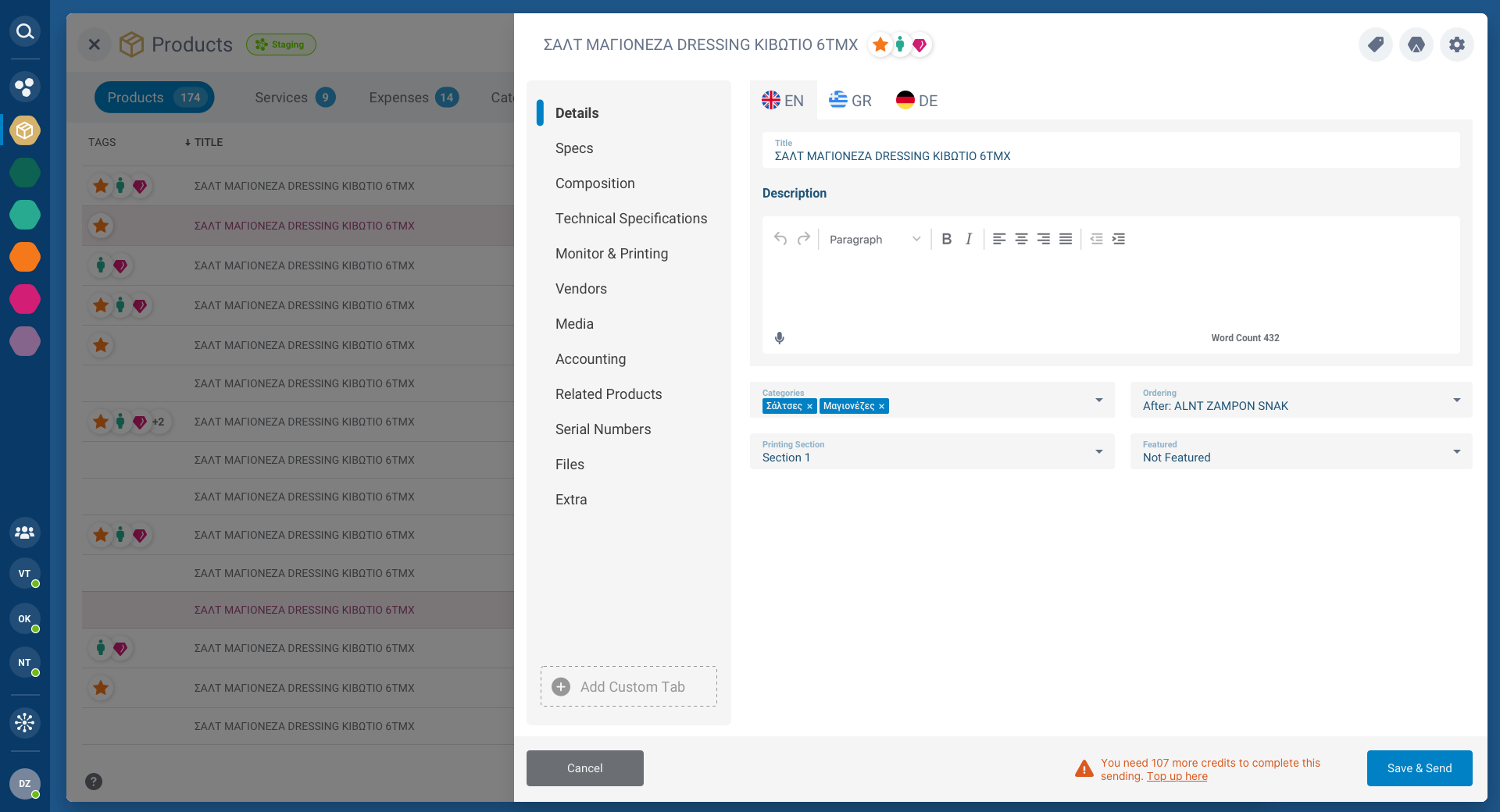
Complex operations happen inside layered modal dialogs. Product editing, workflow management, and version history are accessible without leaving the main view. Each modal includes contextual actions, status tracking, and save/discard controls.
The modal system supports multiple depths, a workflow overlay on top of a product modal on top of the main dashboard, maintaining spatial awareness throughout.
CRM & Account Management
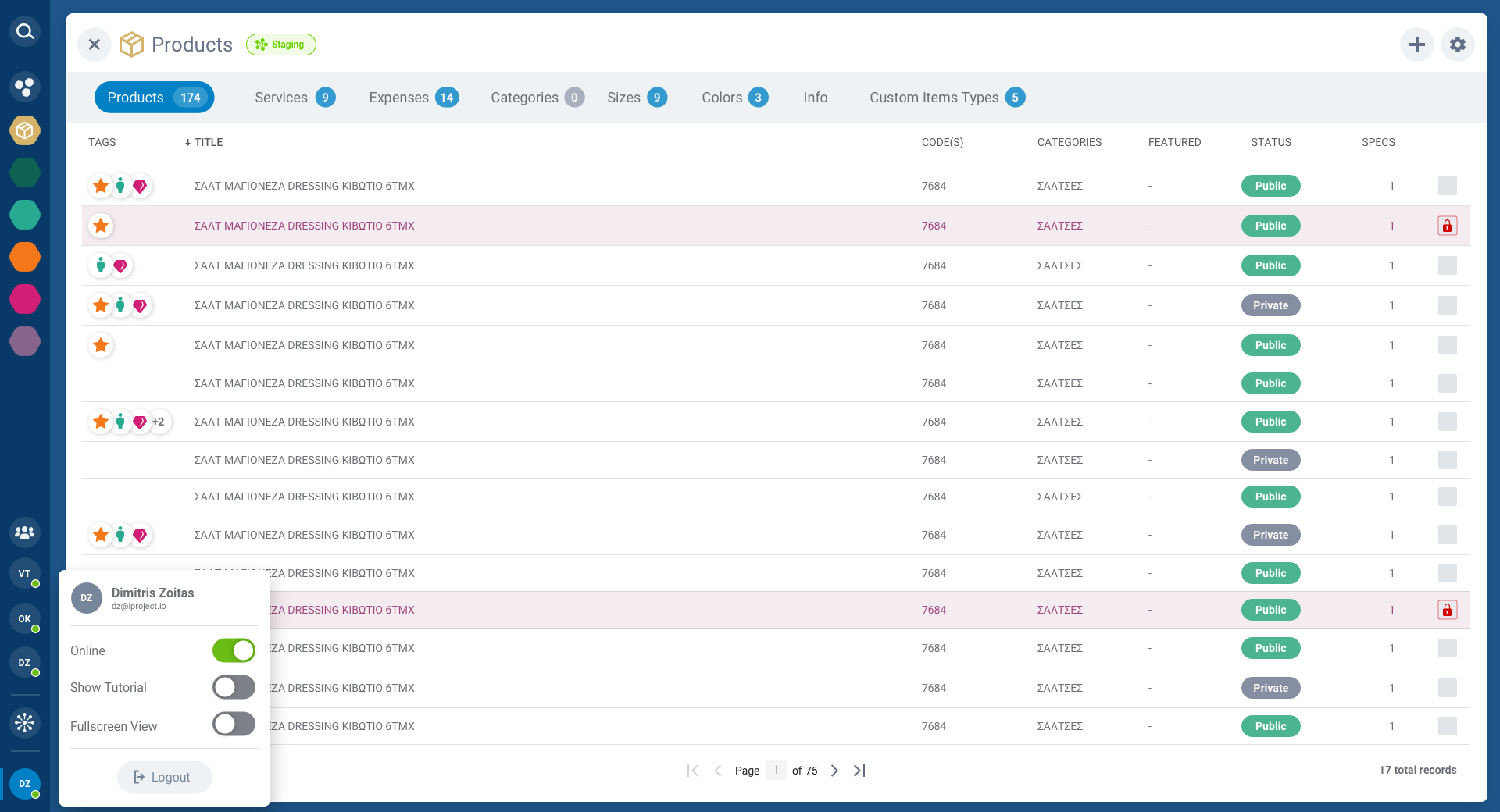
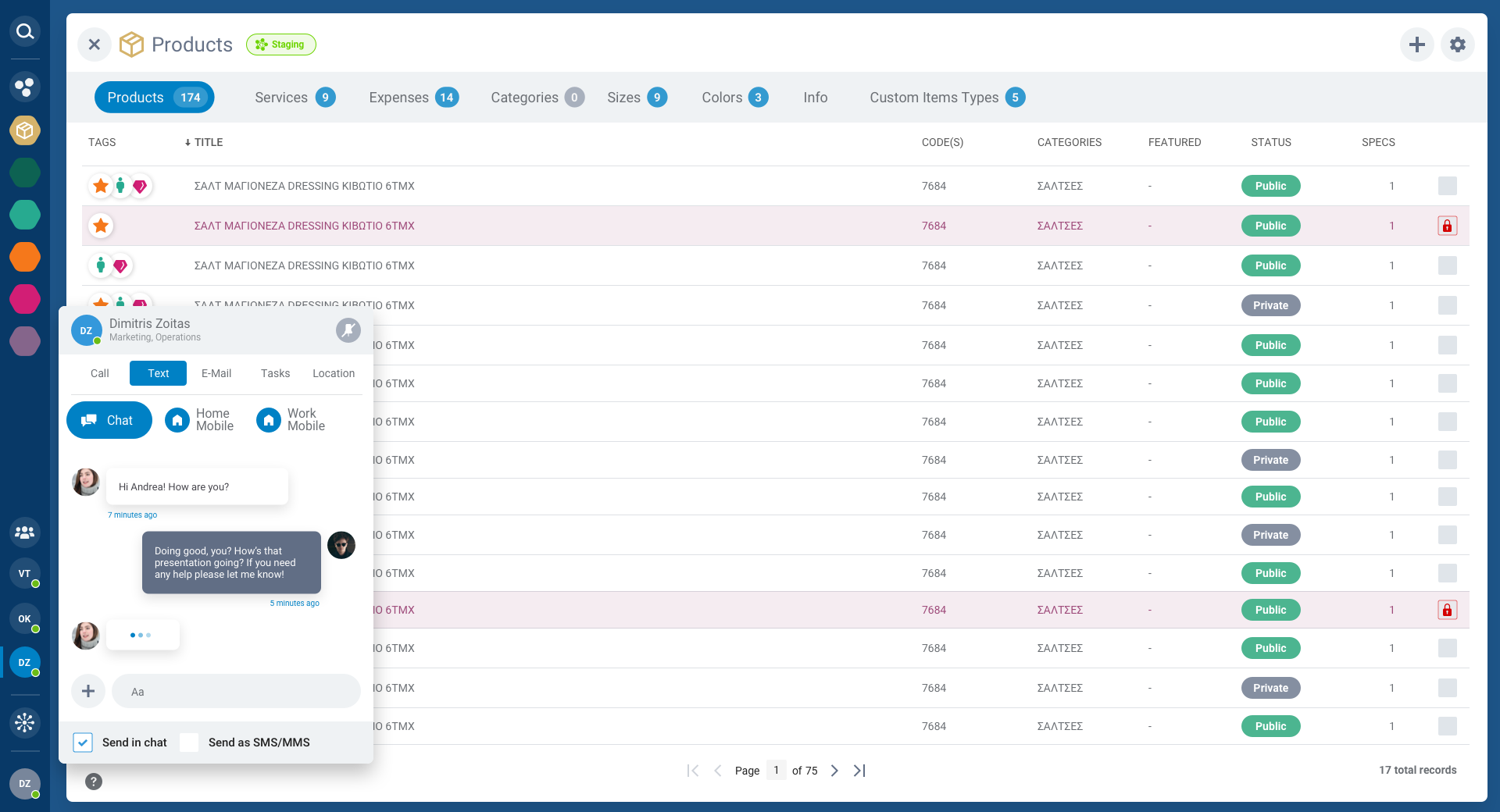
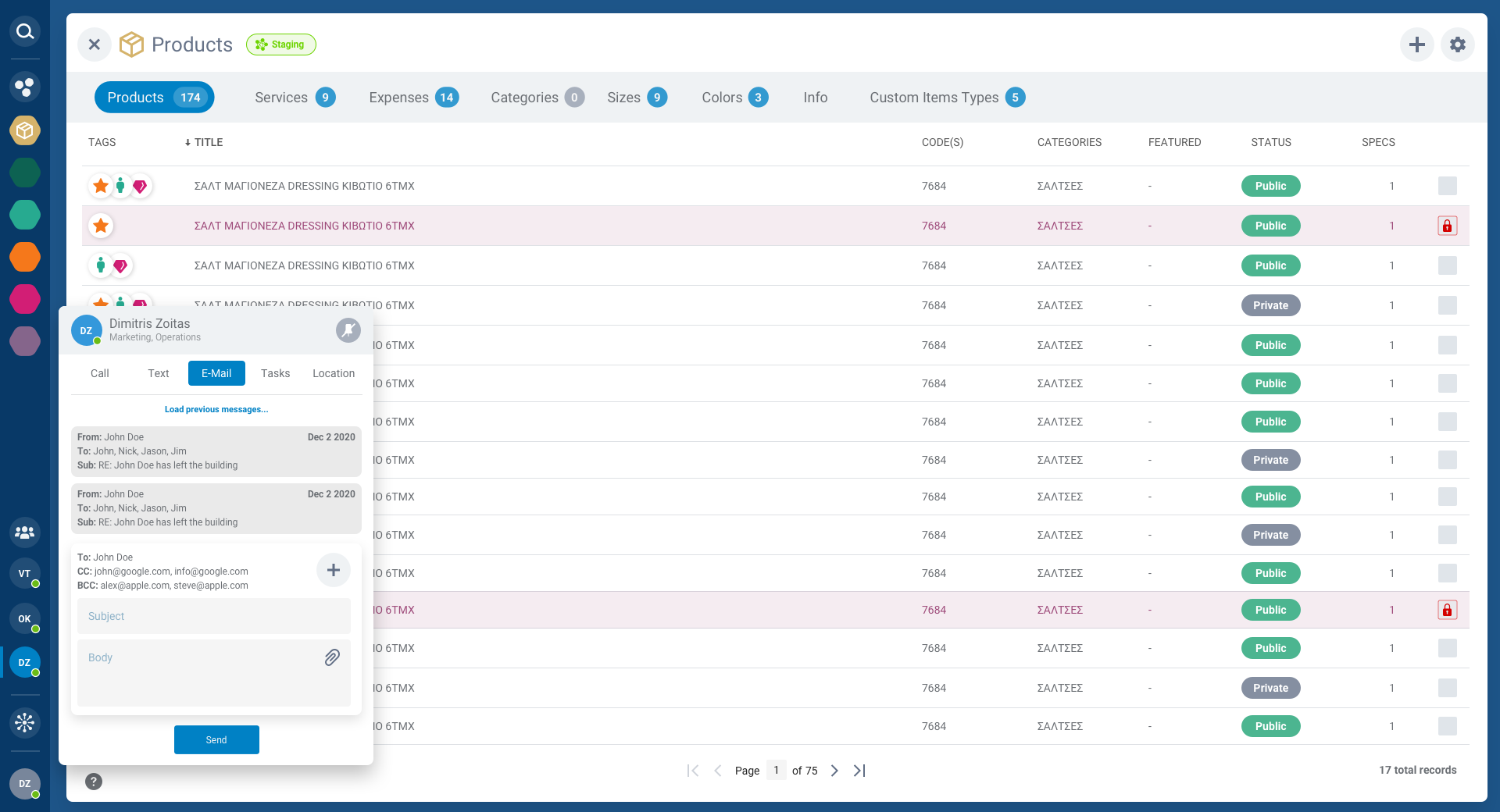
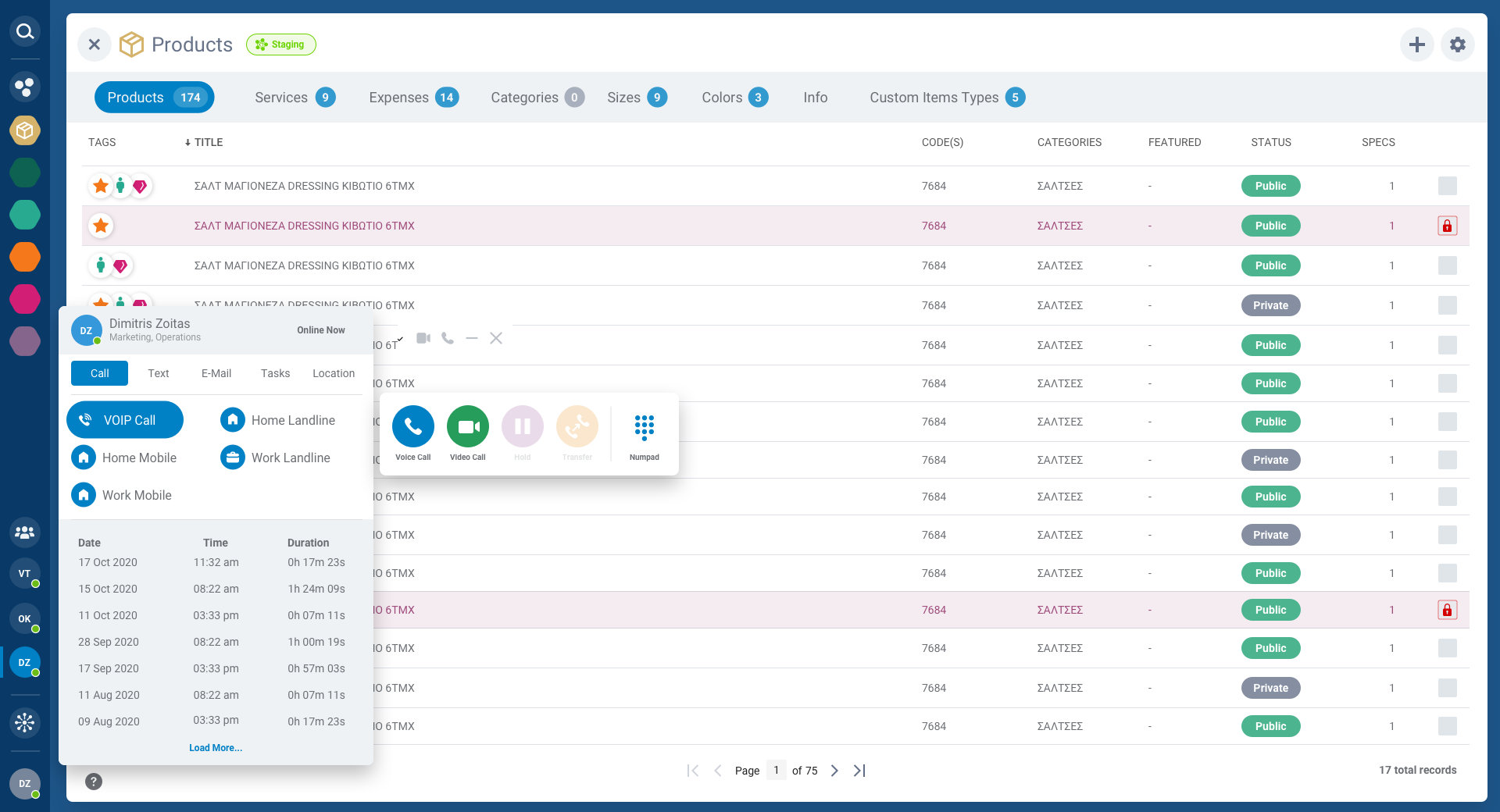
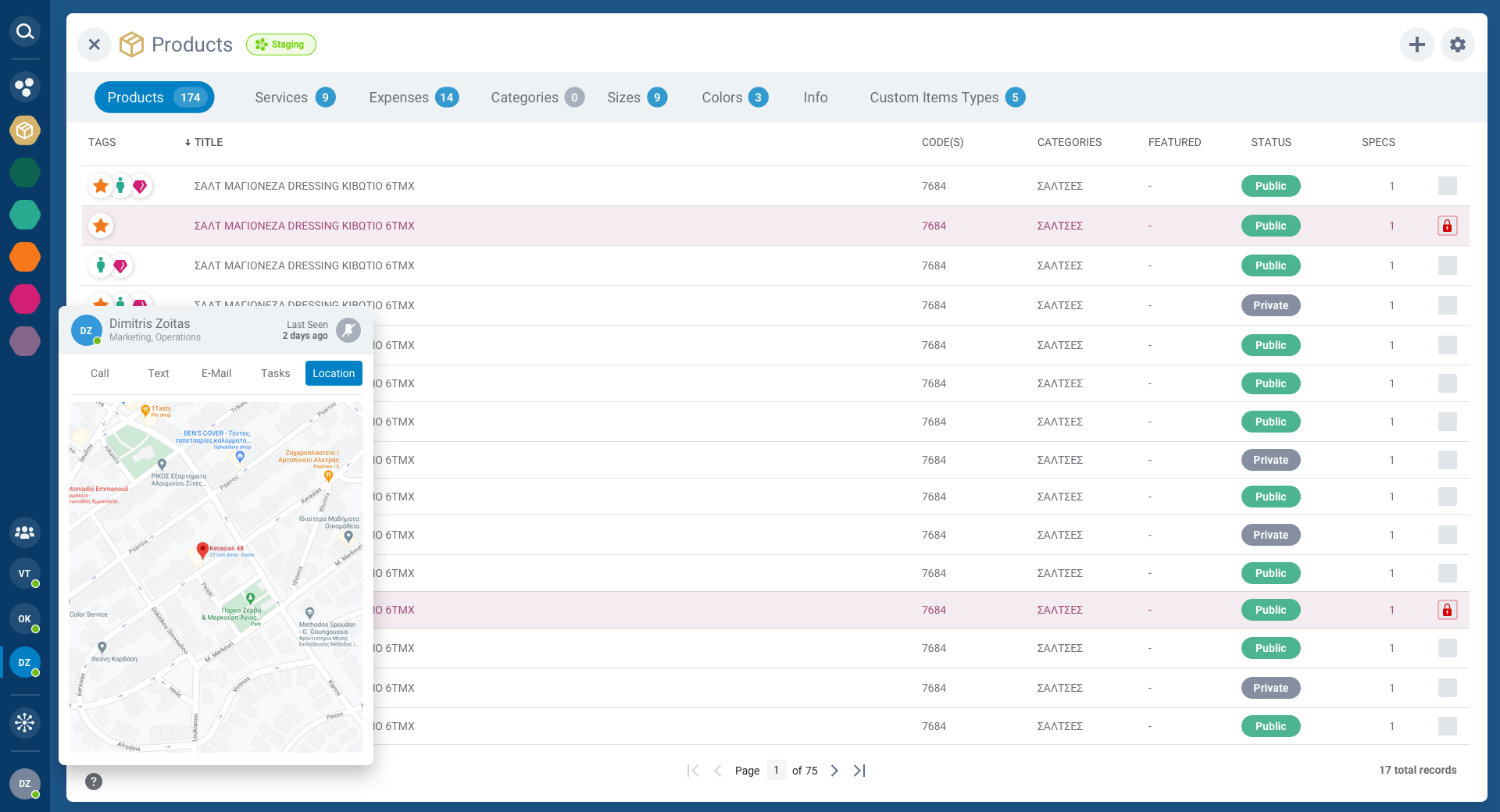
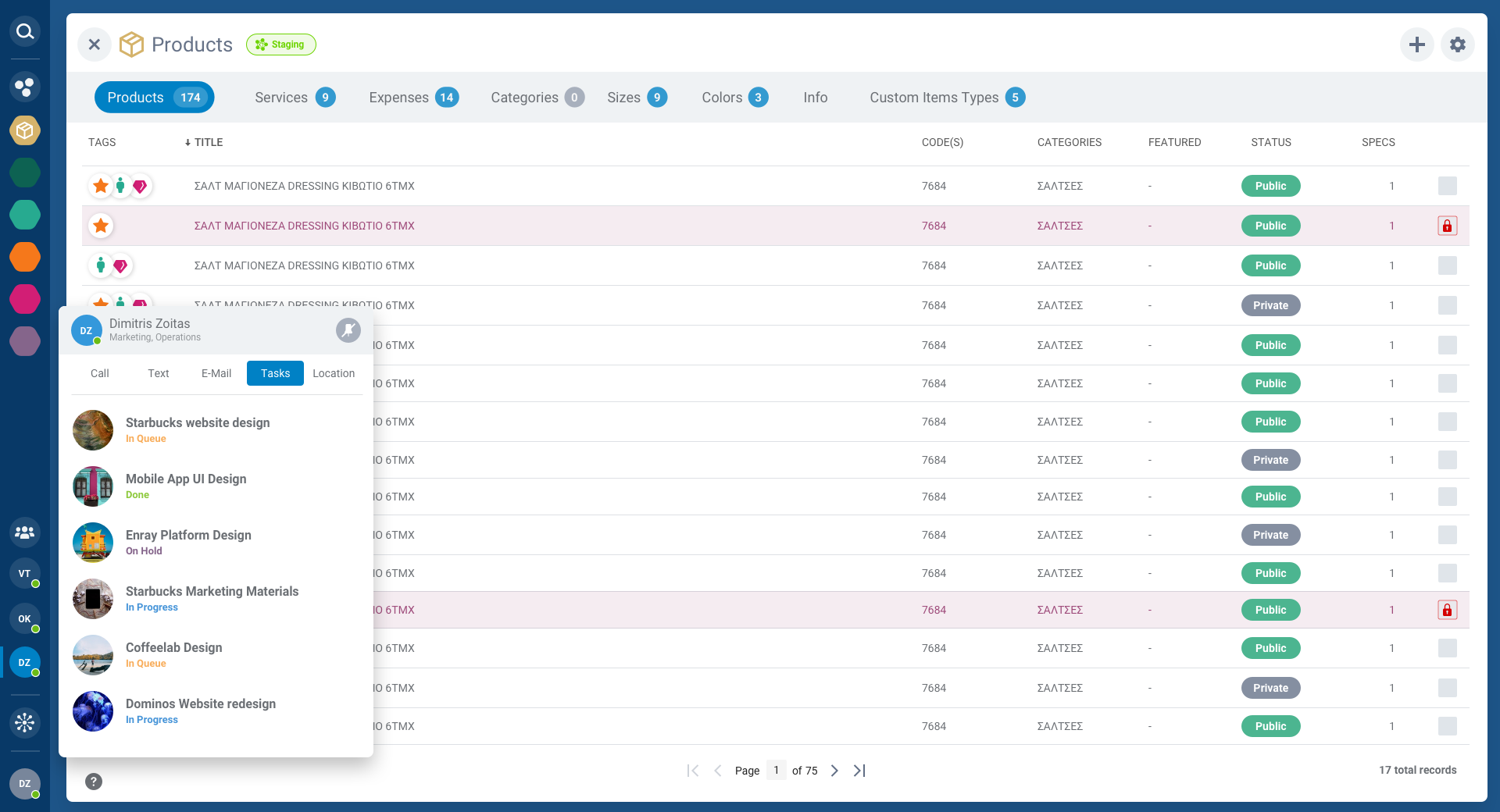
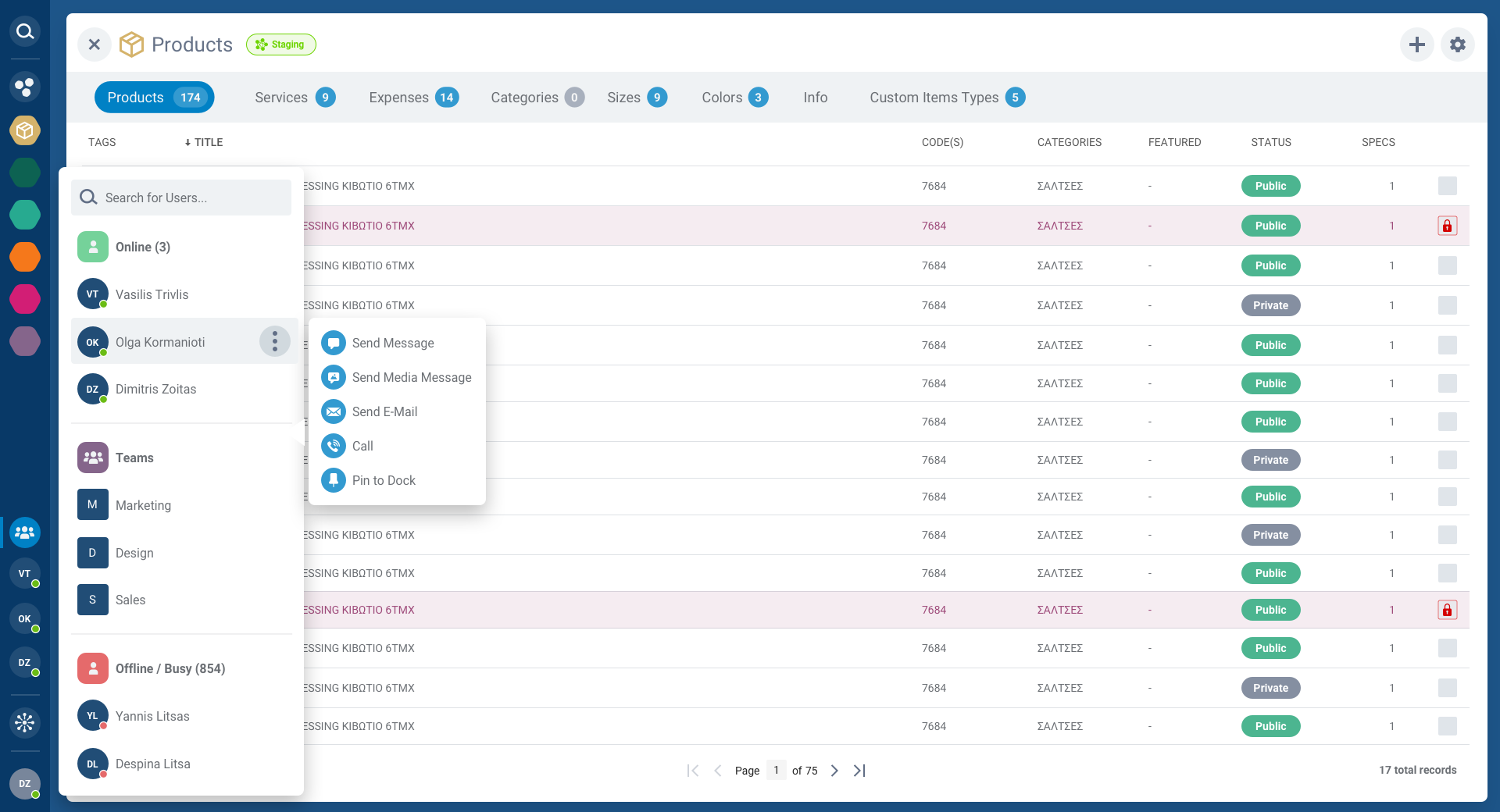
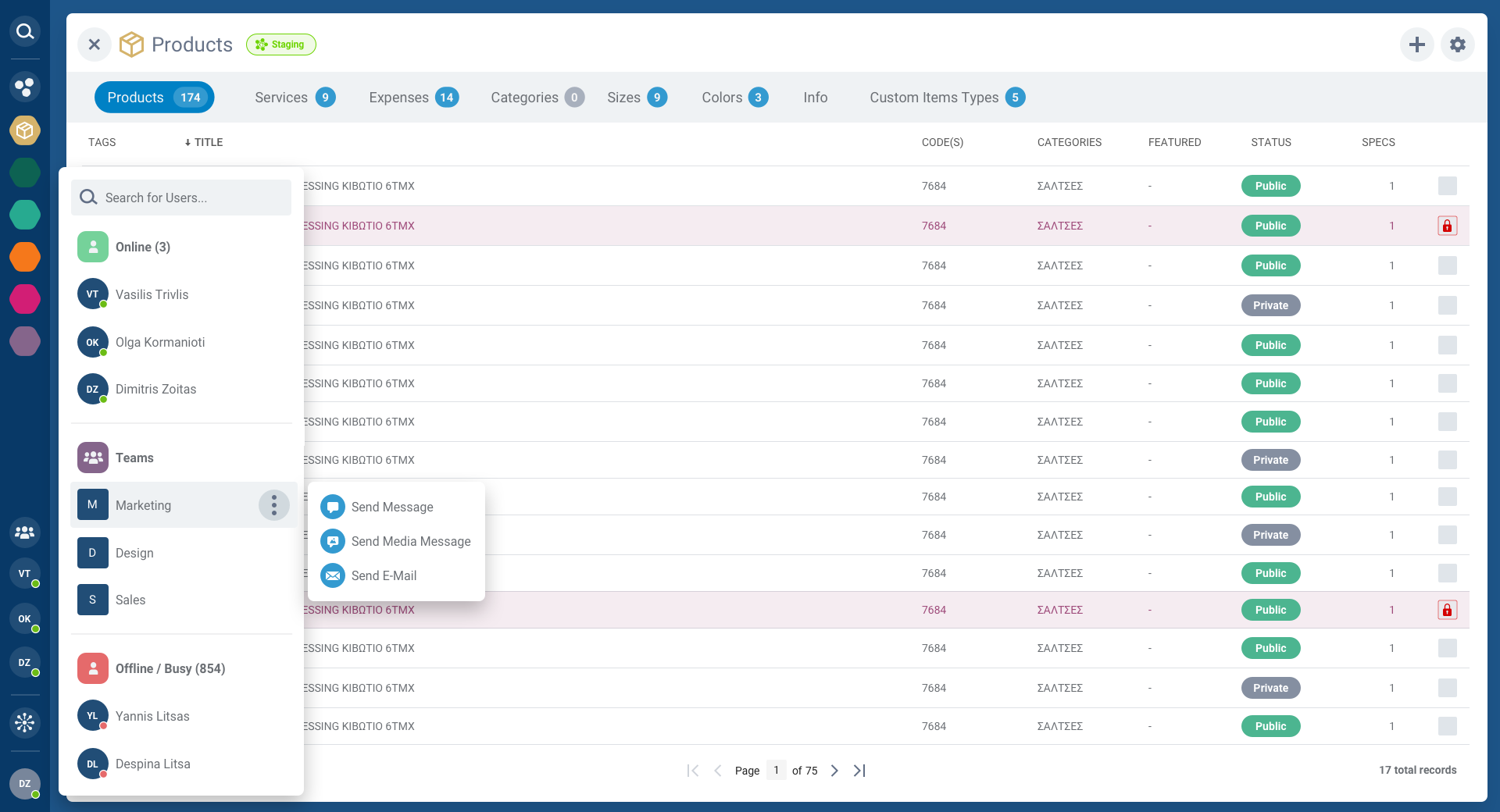
The CRM module provides a complete view of customer relationships. The account user screen combines contact details, communication history, tasks, and quick actions into a unified profile view. The colorful sidebar persists across all views, maintaining navigation context.
Account managers can see at a glance: online status, recent interactions, assigned tasks, and team collaborations, everything needed to maintain strong customer relationships.
Communication Hub
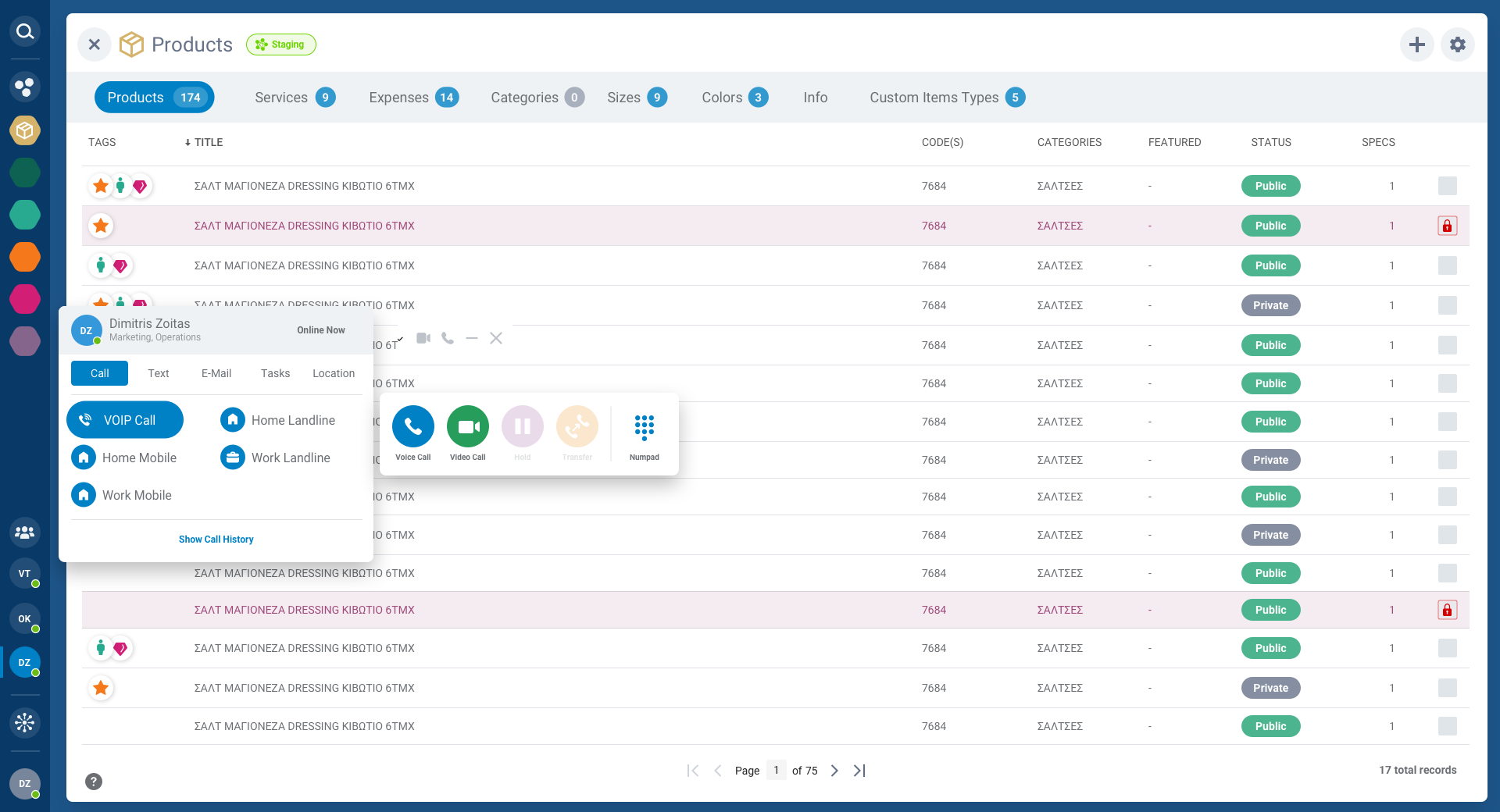
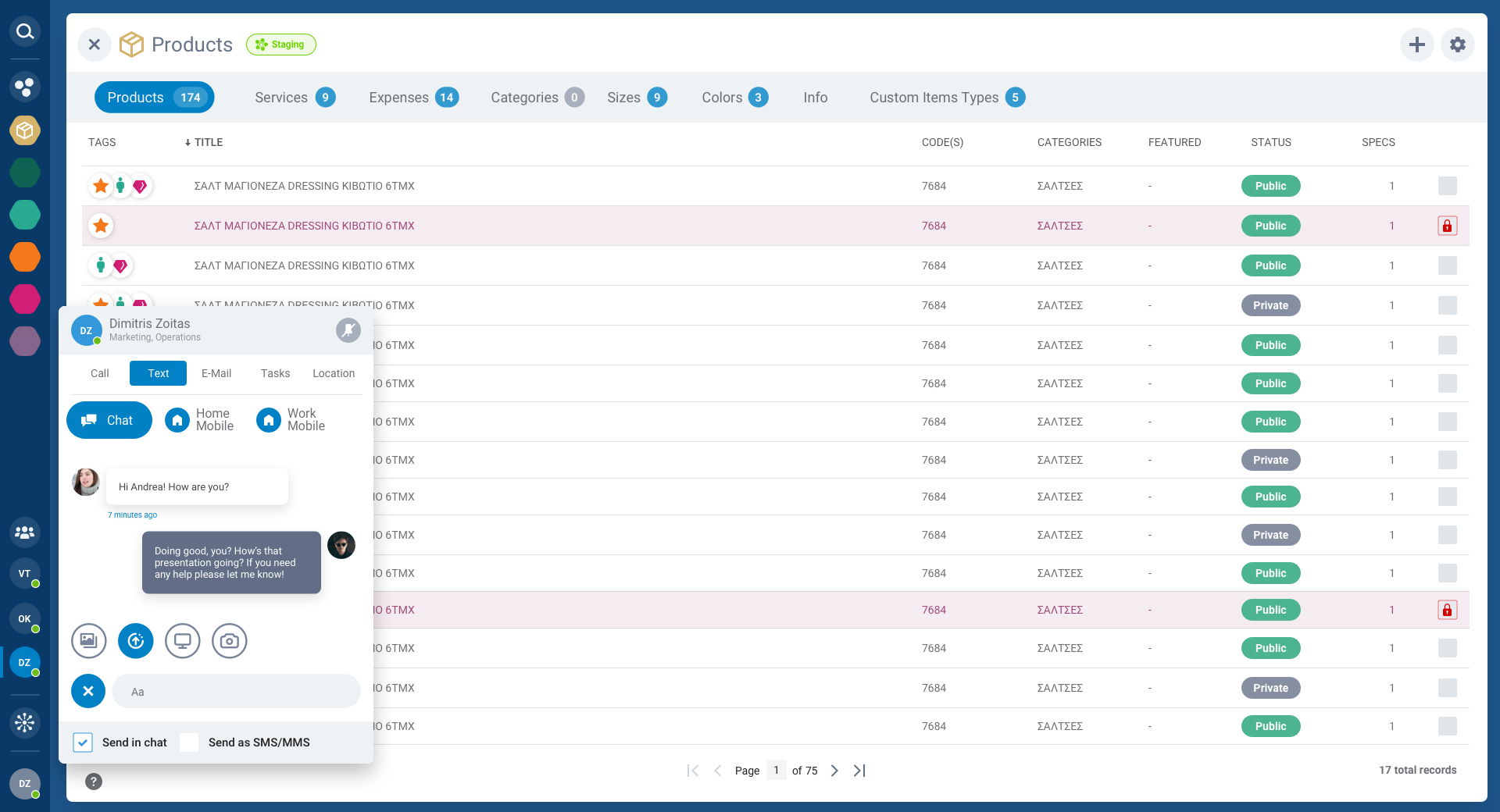
Enray integrates VoIP calls, text messaging, and email directly into the CRM, eliminating the need to switch between tools. Each communication channel is accessible from the account profile and includes full history, compose flows, and team collaboration features.
Design Details
Color System
A teal-to-purple gradient anchors the brand identity. The colorful sidebar uses distinct hues for each module, making navigation intuitive even at a glance. Functional colors (green/red/orange) handle status and feedback.
Component System
Over 8 core component categories, form fields, dropdowns, switches, sliders, pickers, upload zones, and more. Every component built with multiple states, sizes, and validation patterns for enterprise-grade forms.
Interaction Patterns
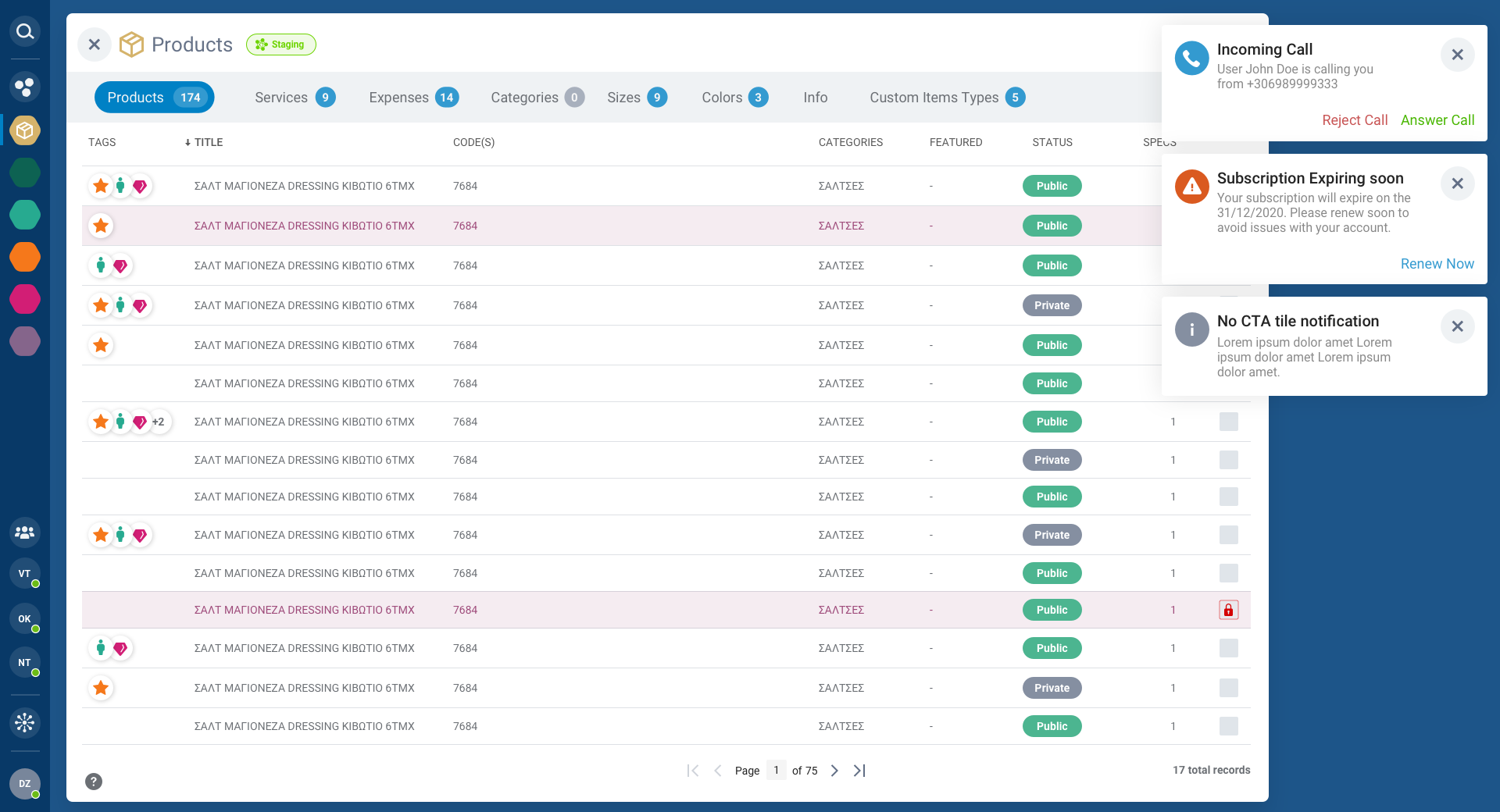
Layered modals, inline editing, and contextual popups keep users in flow. Bulk actions, keyboard shortcuts, and real-time notifications reduce friction across the platform's complex workflows.
Gallery



Reflection
Enray was an exercise in managing complexity. Designing a platform that merges three traditionally separate enterprise tools into one required deep understanding of each domain's workflows and a relentless focus on information hierarchy.
The key insight was that enterprise users don't need fewer features; they need better organization. The colorful sidebar, layered modals, and integrated communication tools all serve the same goal: keeping everything accessible without overwhelming the user. When complexity is well-organized, it becomes simplicity.